 PedalCues
PedalCues
PedalCues
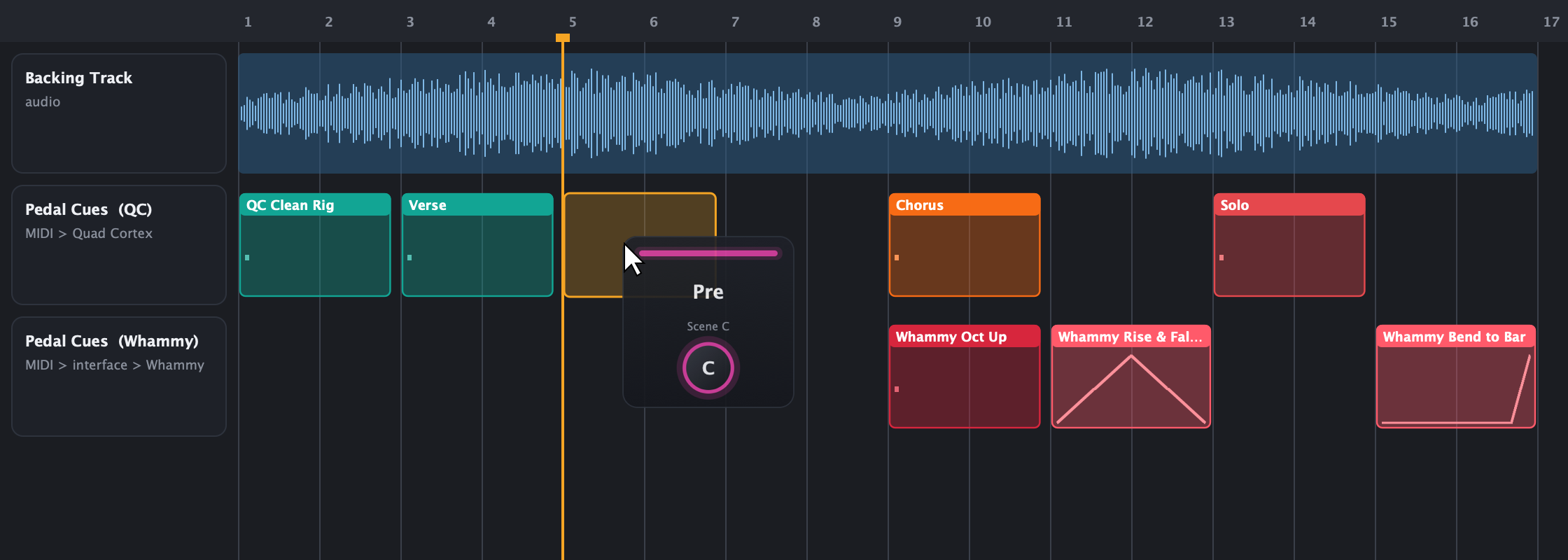
Stop typing CC numbers into MIDI clips. Drag a preset, a scene or a treadle move onto your DAW timeline, and it lands as a named MIDI clip at that bar. Press play, and your rig follows the song.
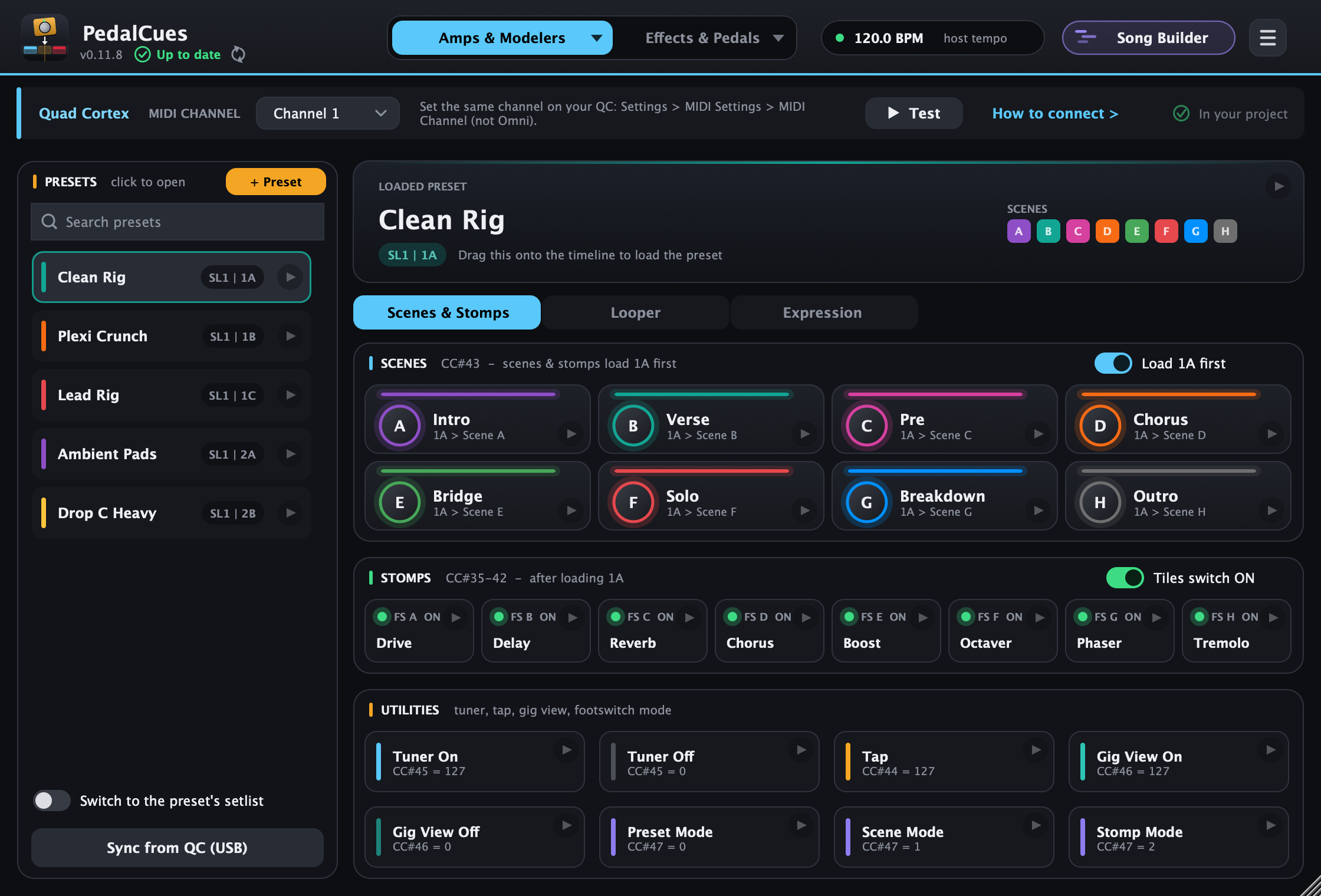
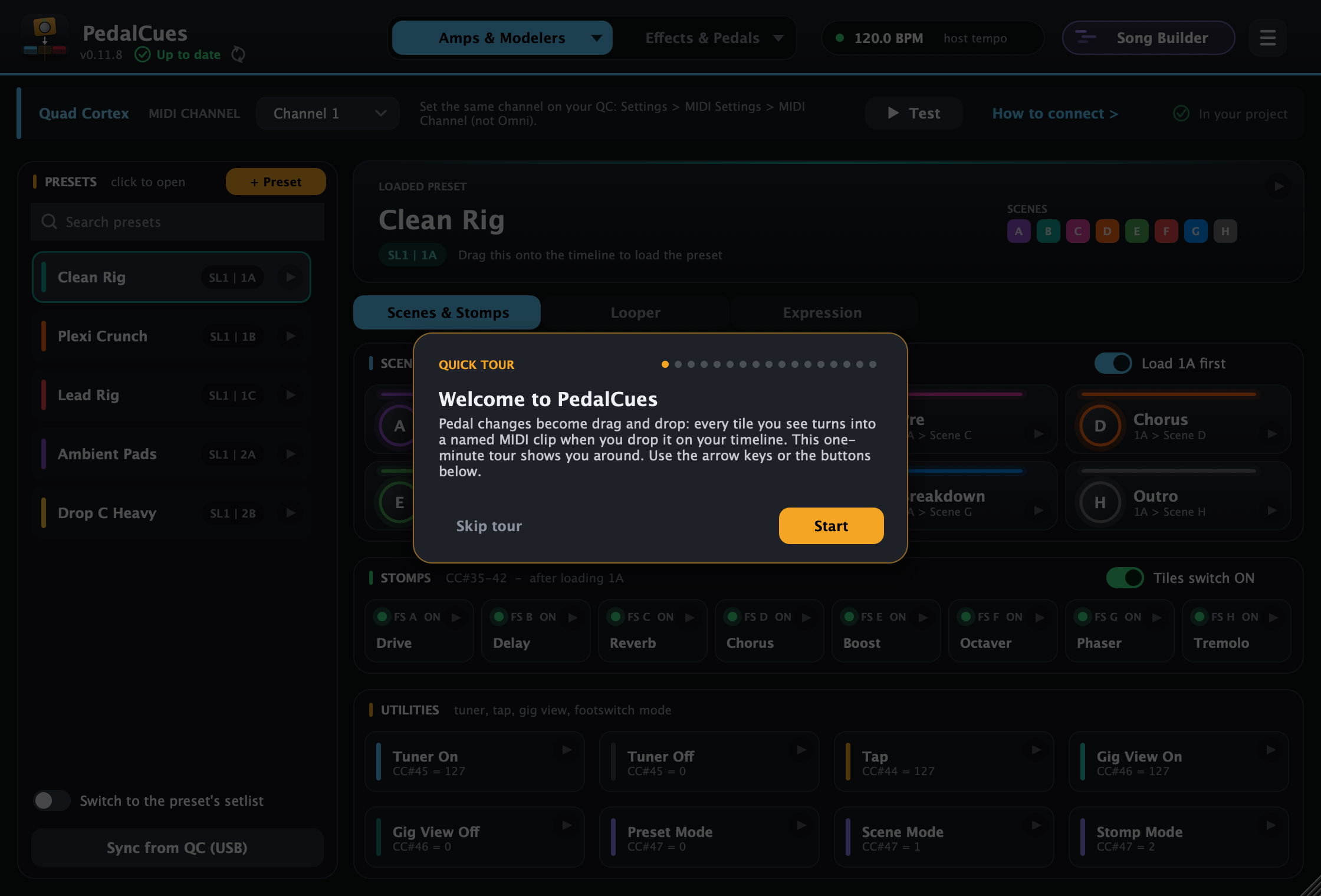
Your device's presets, scenes and moves as tiles: drag one onto the timeline.
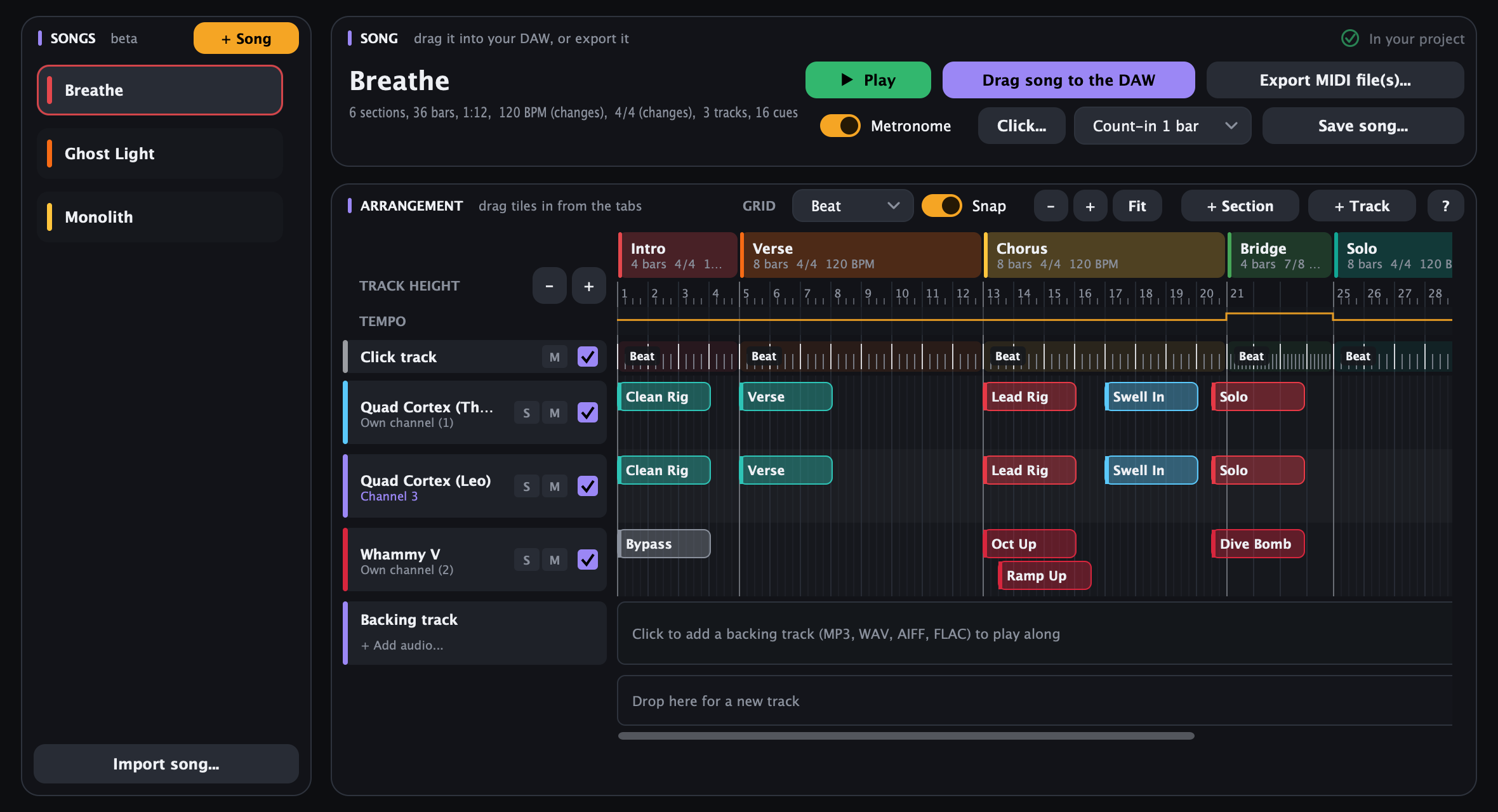
Song Builder (beta): build the whole song with a click track and a backing track, then drag it into your DAW.
Tested in Reaper; works in any DAW that can drag in MIDI clips and send a MIDI track to your pedals.
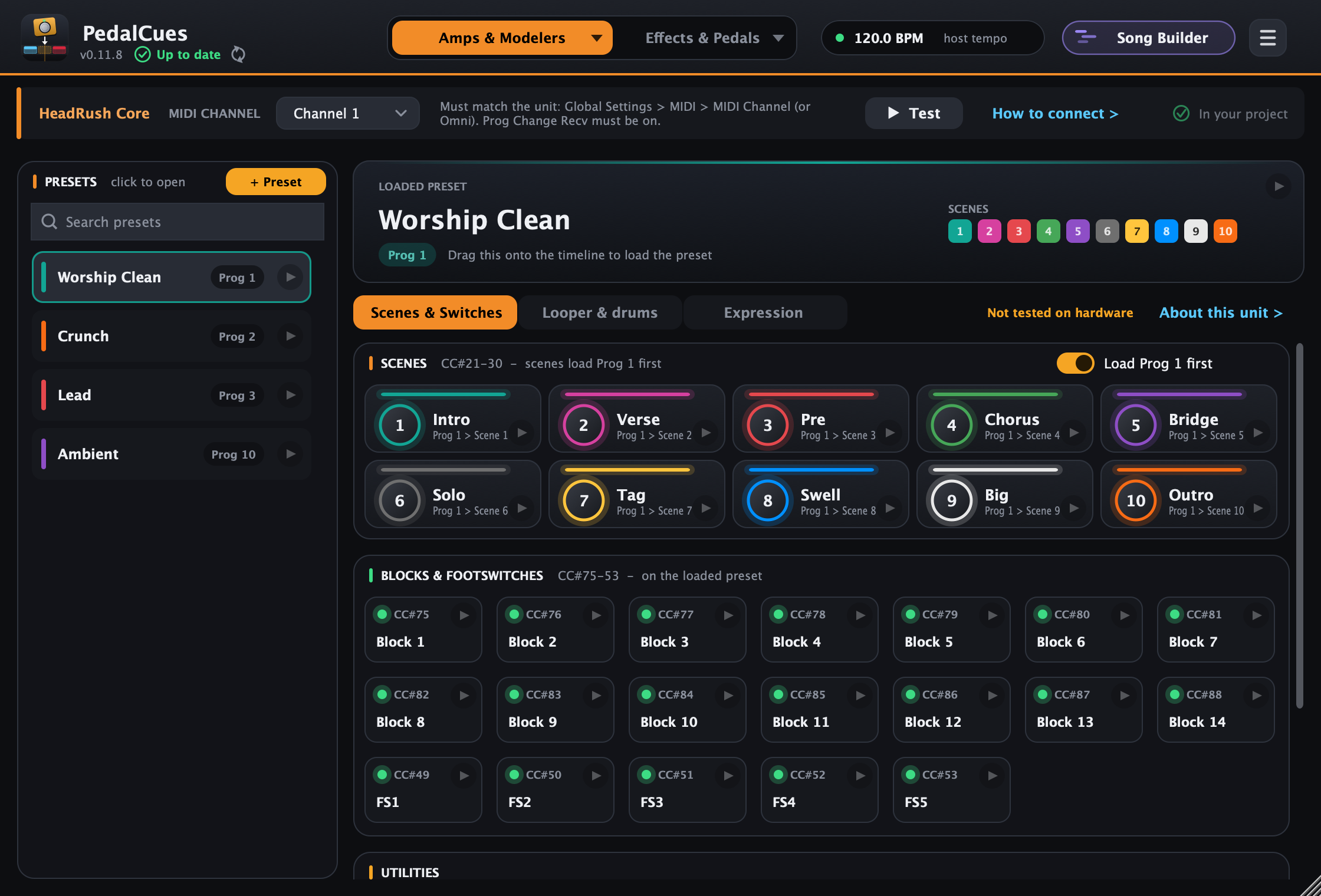
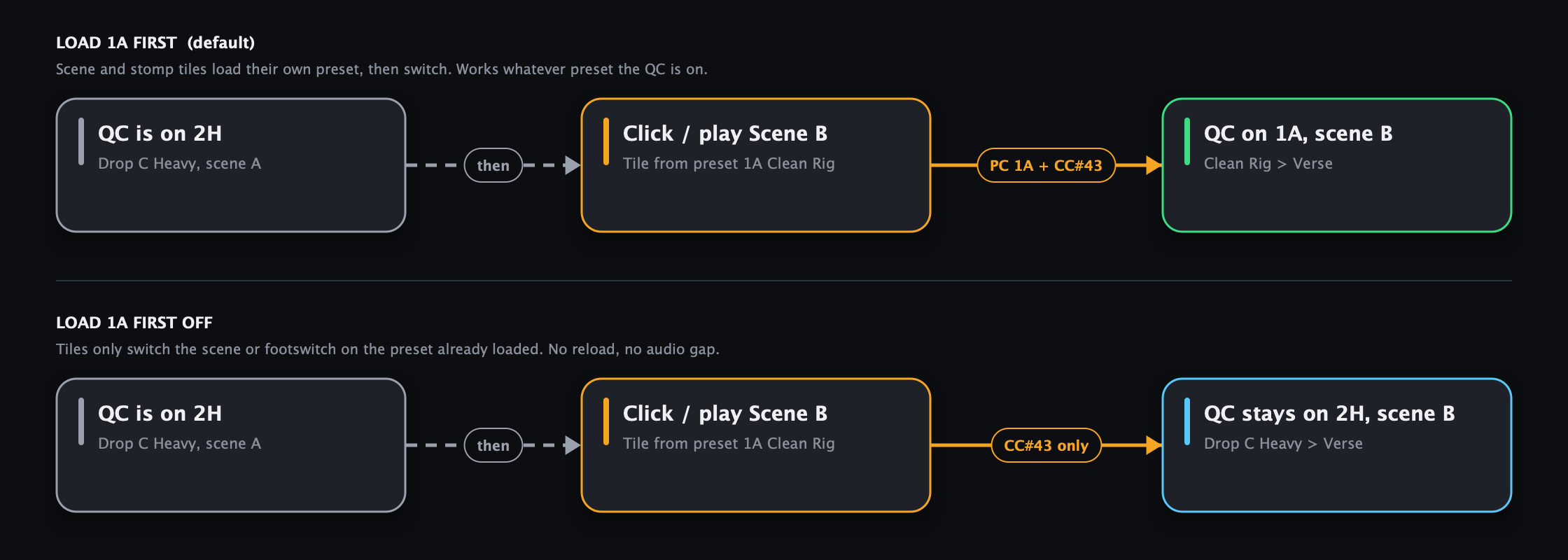
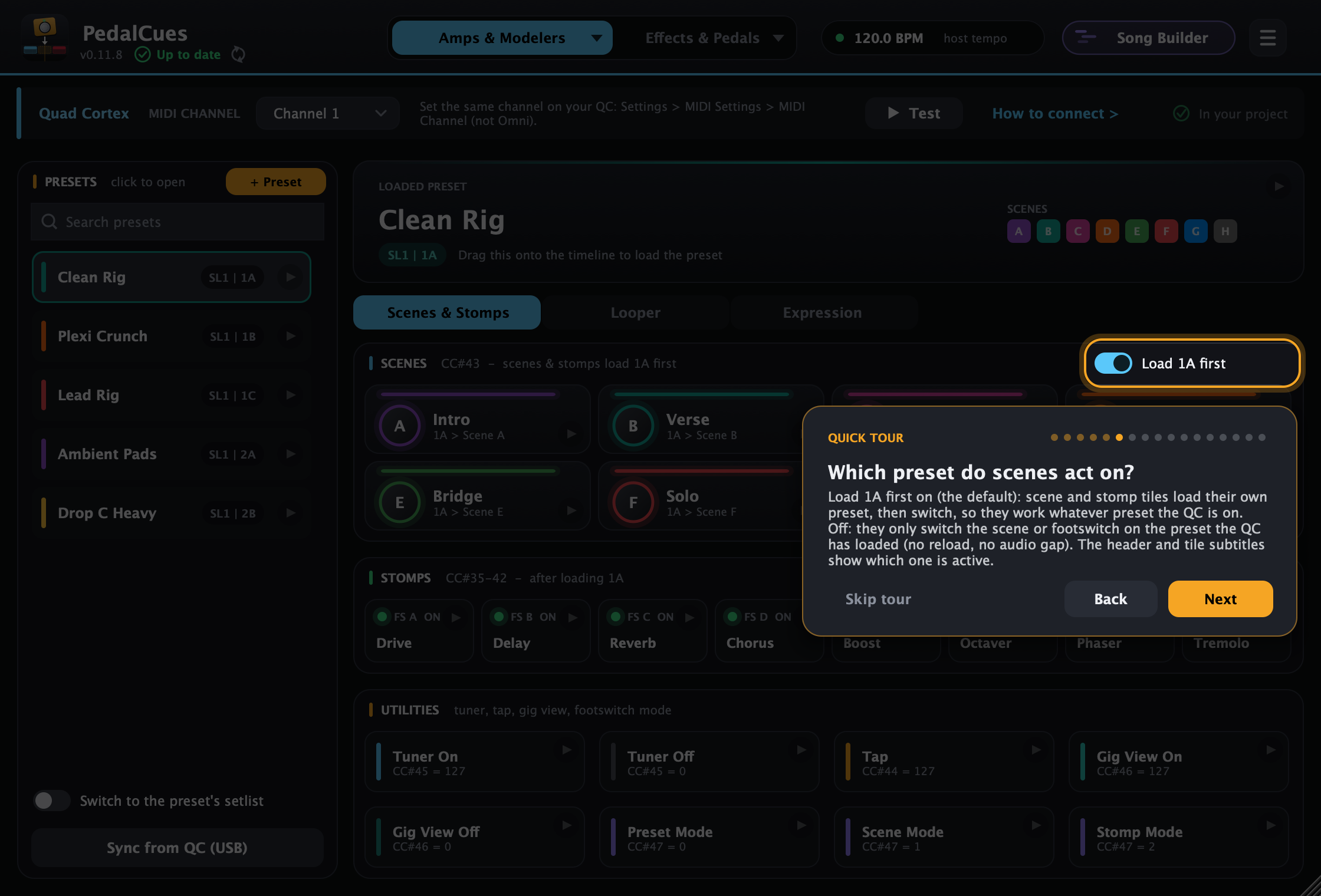
Your Quad Cortex or QC Mini presets, scene names and colours as tiles (on the Mini, footswitch Pages I and II). Sync your setlists, preset names, scene names and colours straight from the QC over USB. Scenes laid out like the pedal: A–D on top, E–H below. Scenes and stomps load their own preset first, or act on the one already loaded.
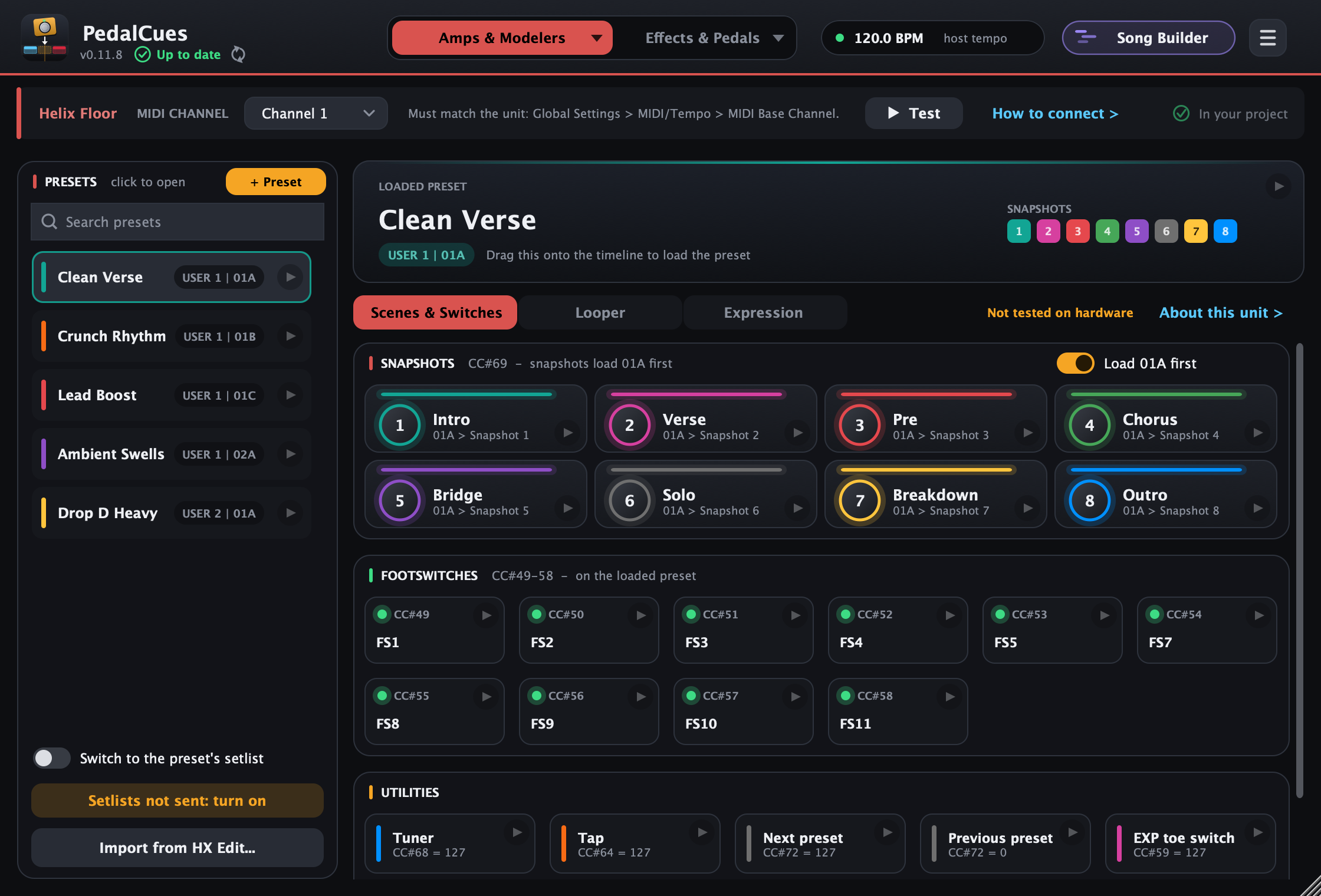
Sync from the Quad Cortex over USB, import a Helix / HX setlist or bundle from HX Edit (preset and snapshot names and colours), or read the names over MIDI from Strymon TimeLine / BigSky / Mobius, Boss DD / RV / MD-500, GT-1000 and Fractal Axe-Fx III / FM9 / FM3 / VP4 (beta, read-only).
Footswitch on/off, the Looper X (record, overdub, play, undo, reverse, half speed), tuner for guitar changes, tap tempo, Gig View on/off, and Preset / Scene / Stomp mode, each one drag away.
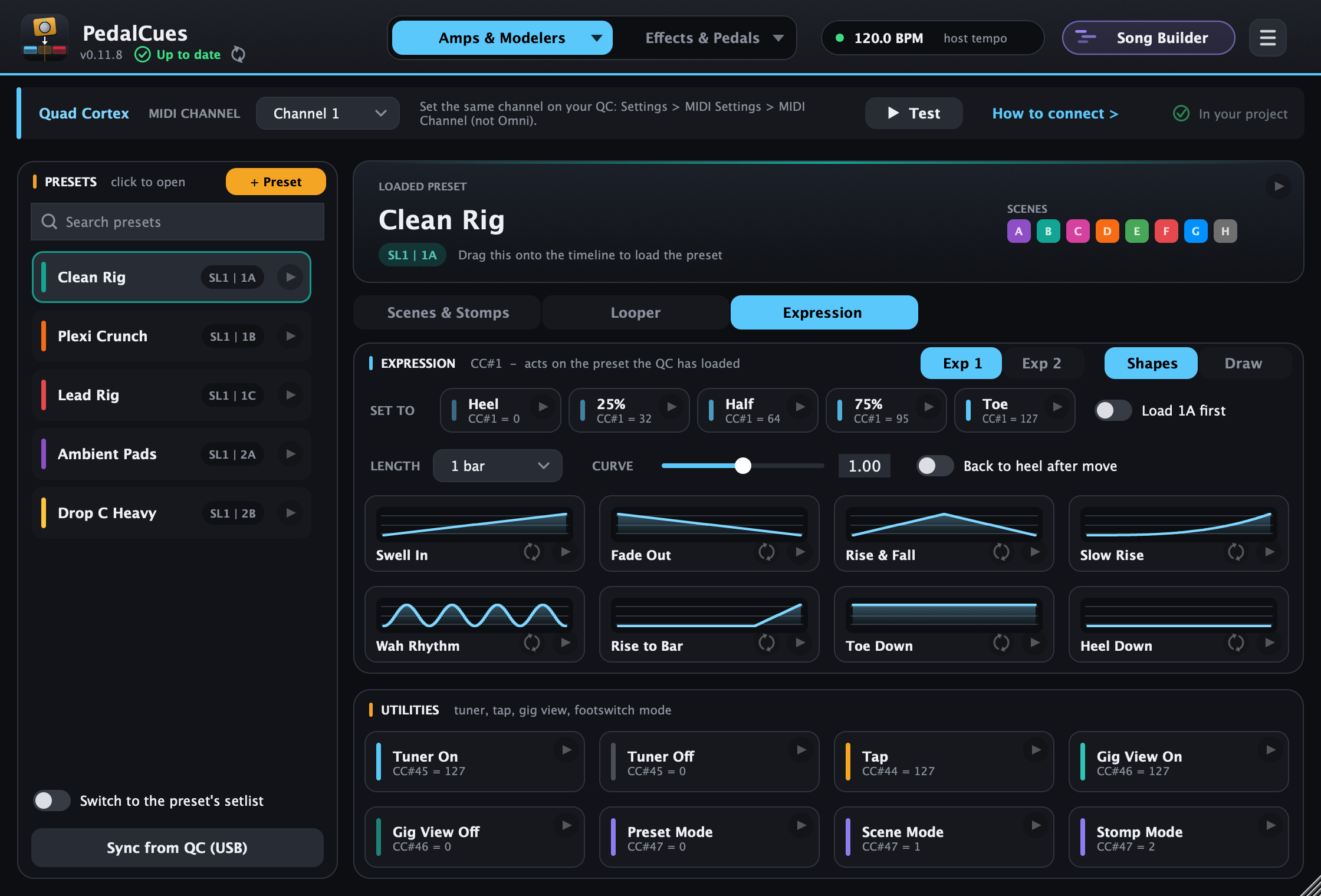
Volume swells, fades, wah rhythms or a delay mix that opens into the chorus: anything you assign to Expression 1 or 2 on the QC, tempo-synced. No pedal needed.
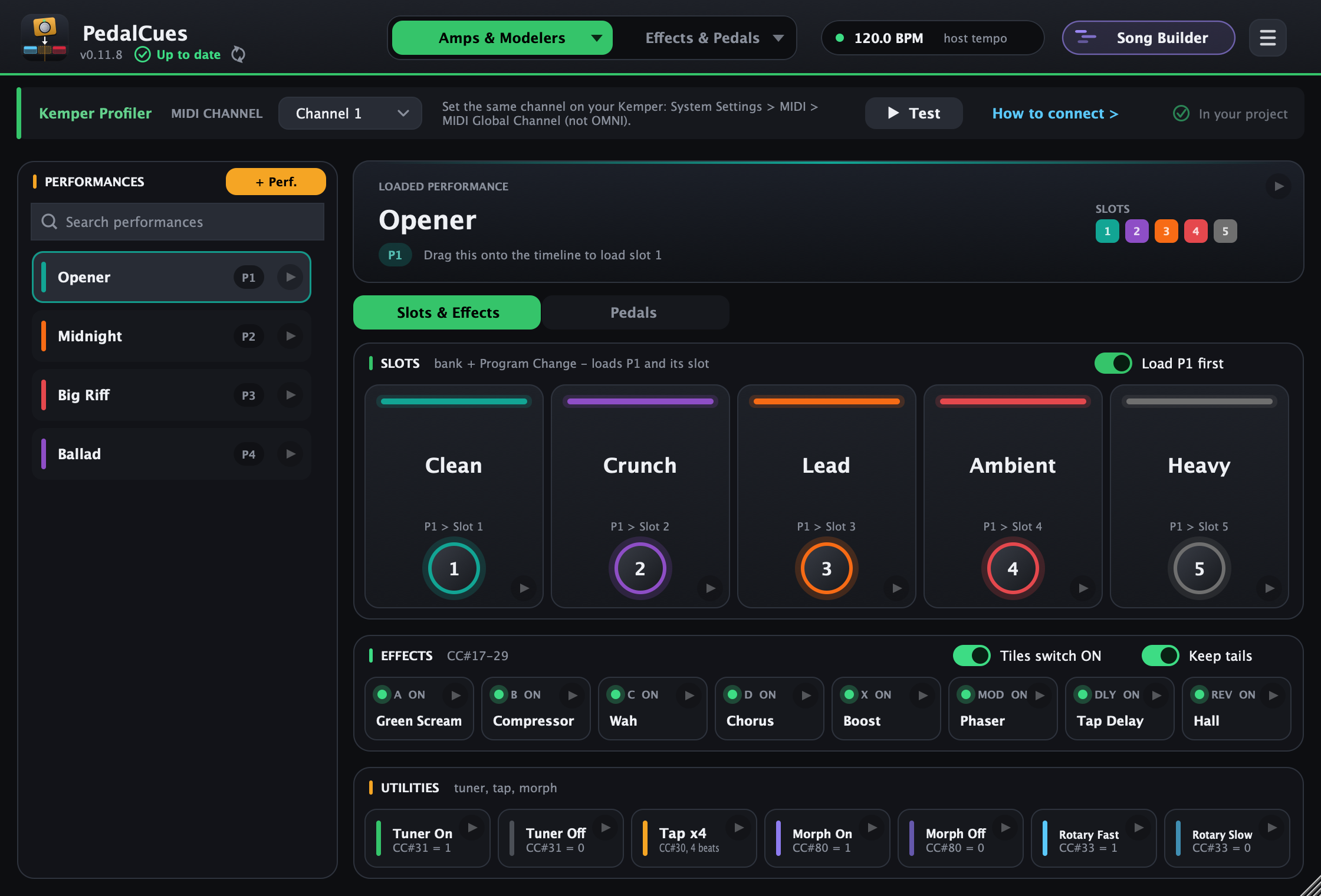
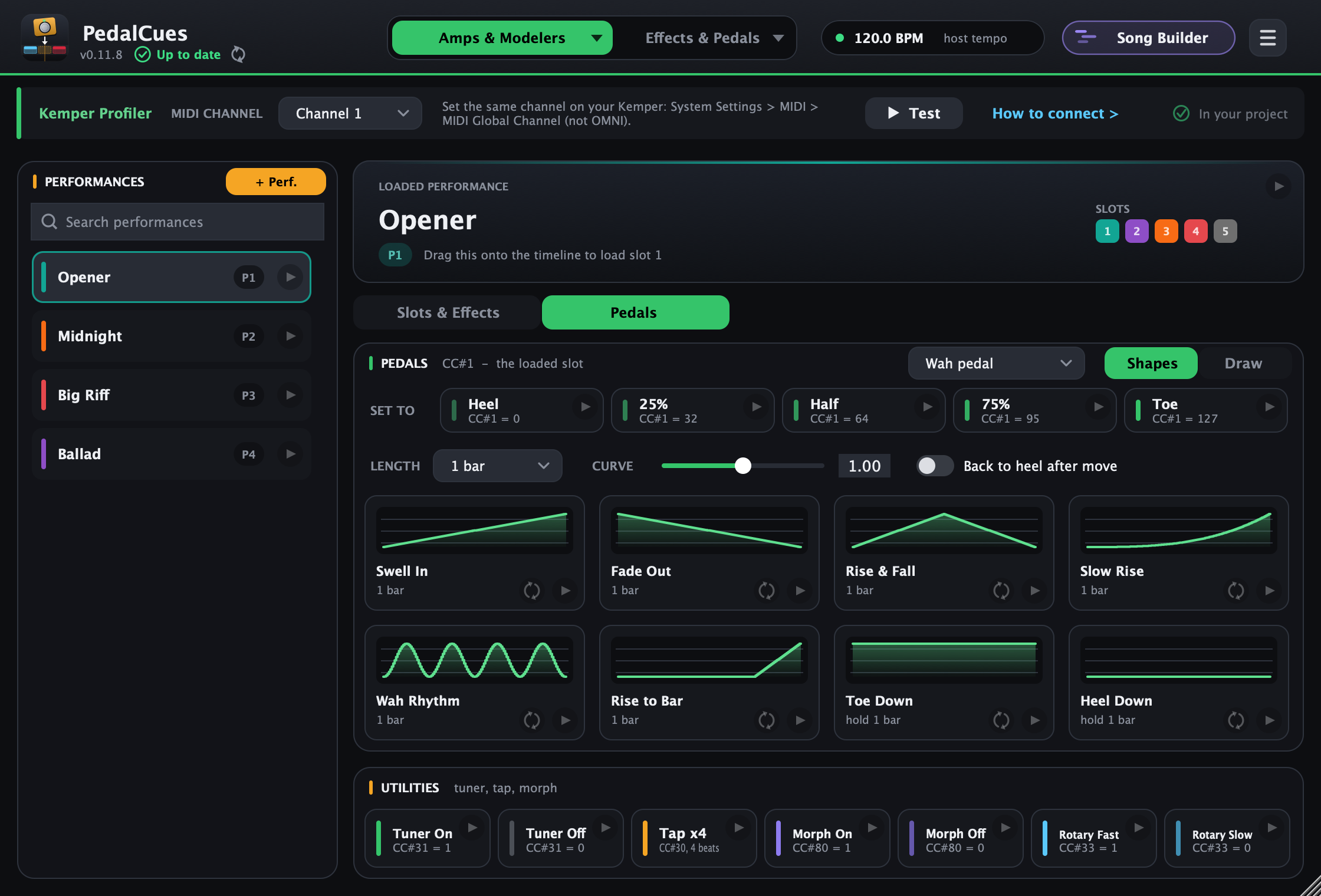
Pick Kemper on the first tab: performances with their five slots, effect modules A–D, X, MOD, delay and reverb (with tails), tuner, tap tempo, morph and rotary, plus wah, pitch, volume and morph pedal moves. No physical pedal needed.
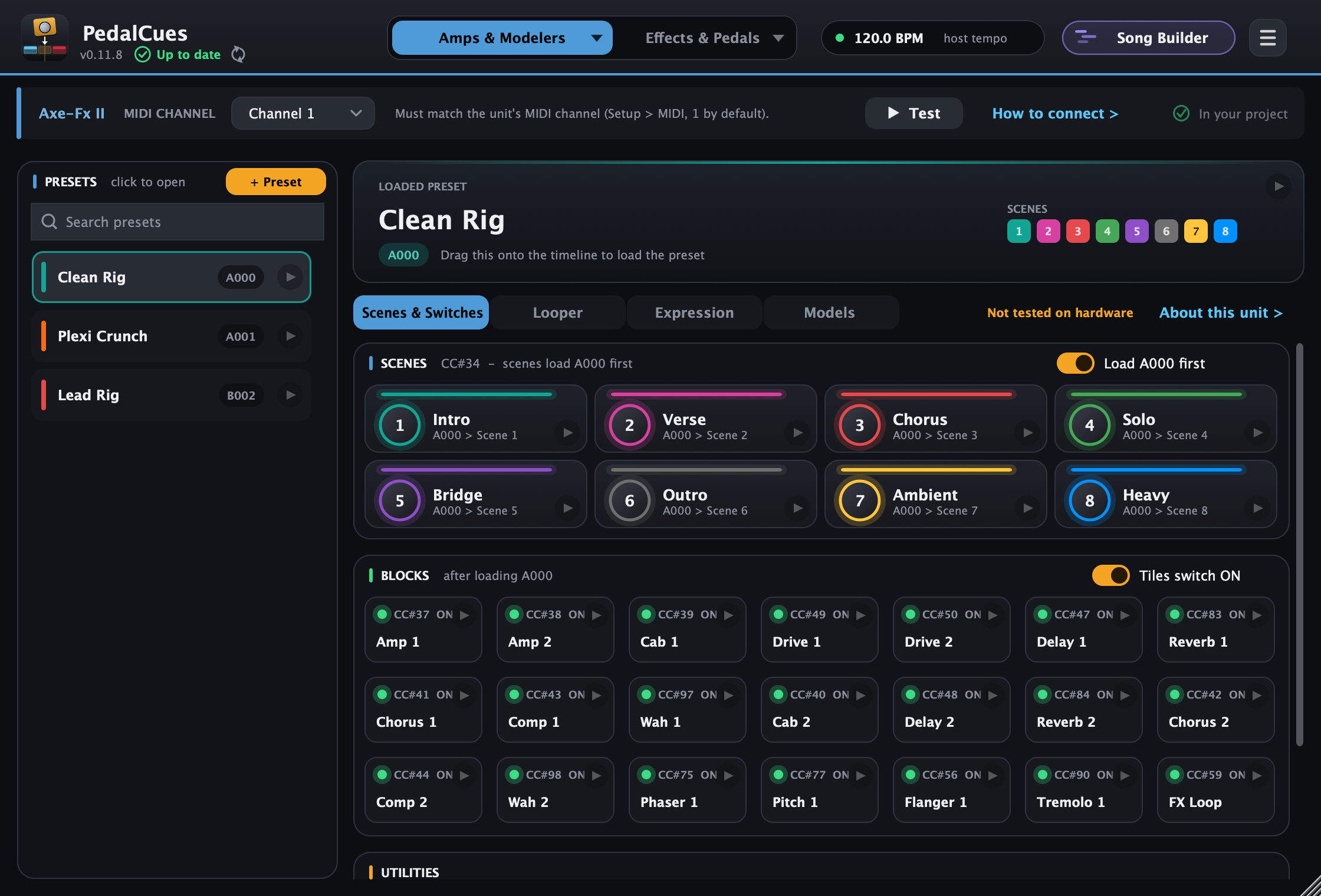
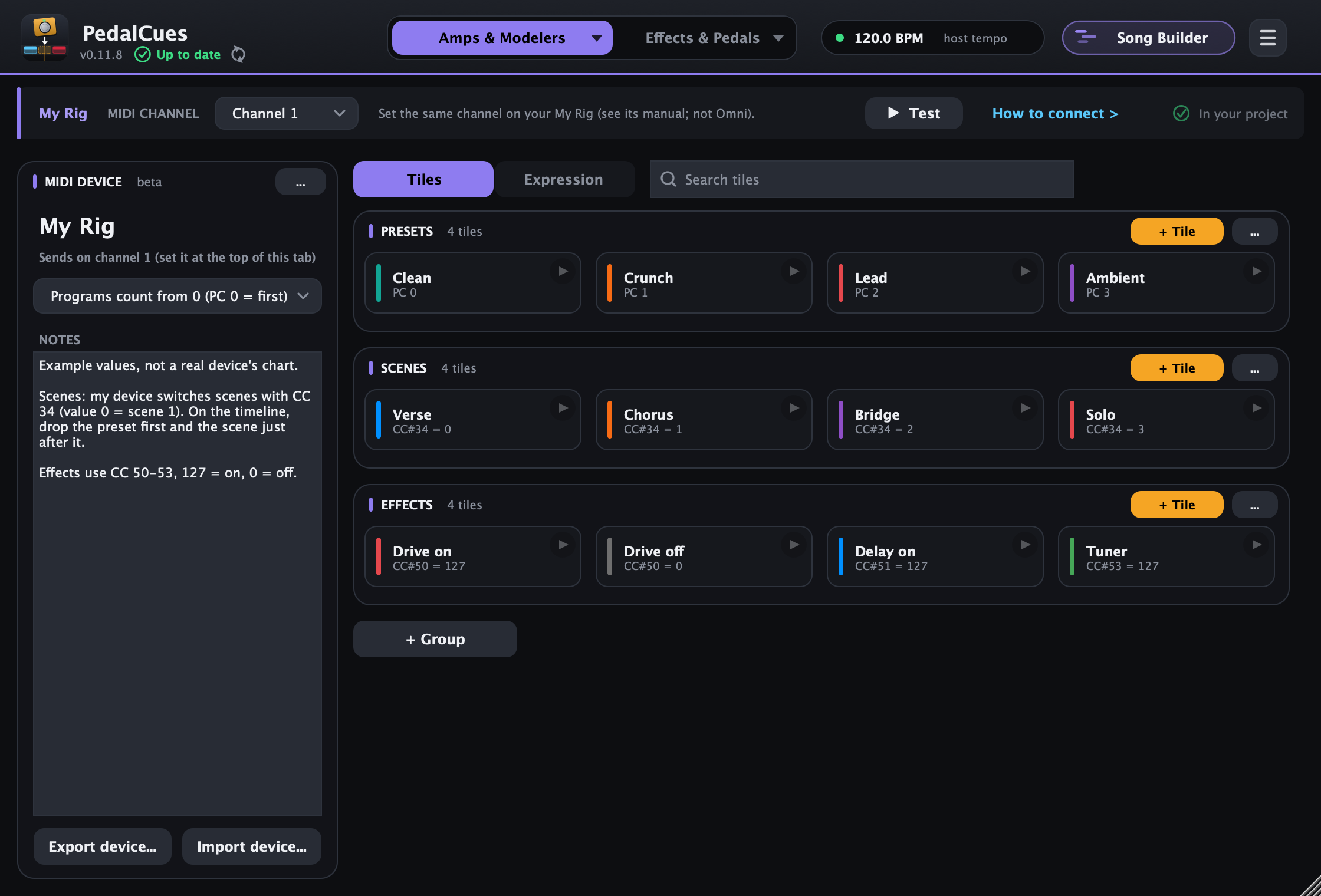
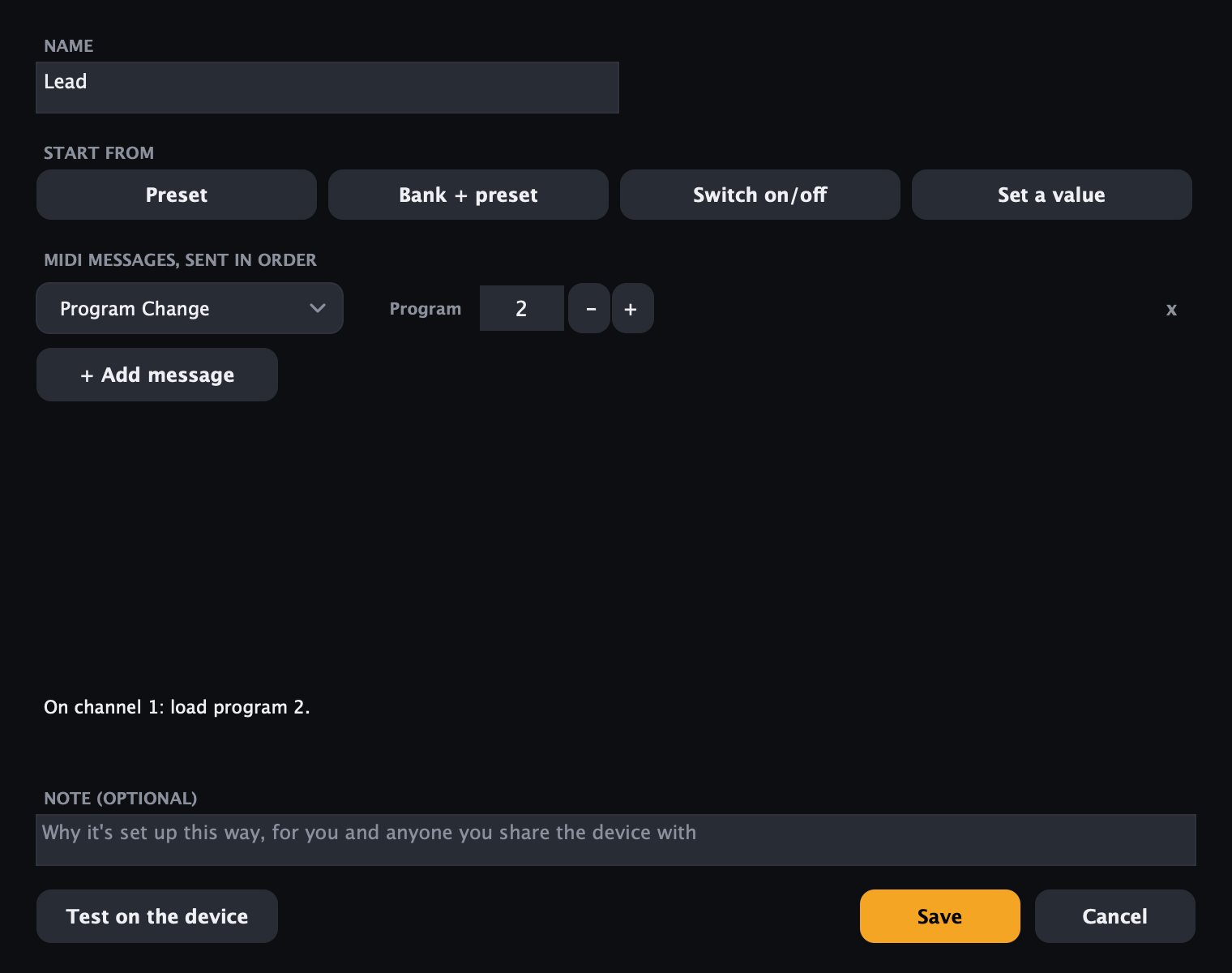
Pages for Helix, HX Stomp, HX Effects, POD Go, Helix Stadium, Axe-Fx II, AX8, FX8, HeadRush (Core, Prime, Flex Prime, Pedalboard, Gigboard, MX5), Darkglass Anagram, Infinity 500 Combo and Exponent 500, and Neural DSP Nano Cortex, all from their manuals. Units where you set up the MIDI mapping yourself get templates: Axe-Fx III, FM9, FM3, VP4, Boss GT-1000 and Darkglass Microtubes Infinity. Anything else, a synth, a looper: make your own tiles in a guided editor (Program Change, Control Change, bank select), add expression moves on any CC, add notes, and share the device as a file so others with the same gear just import it.
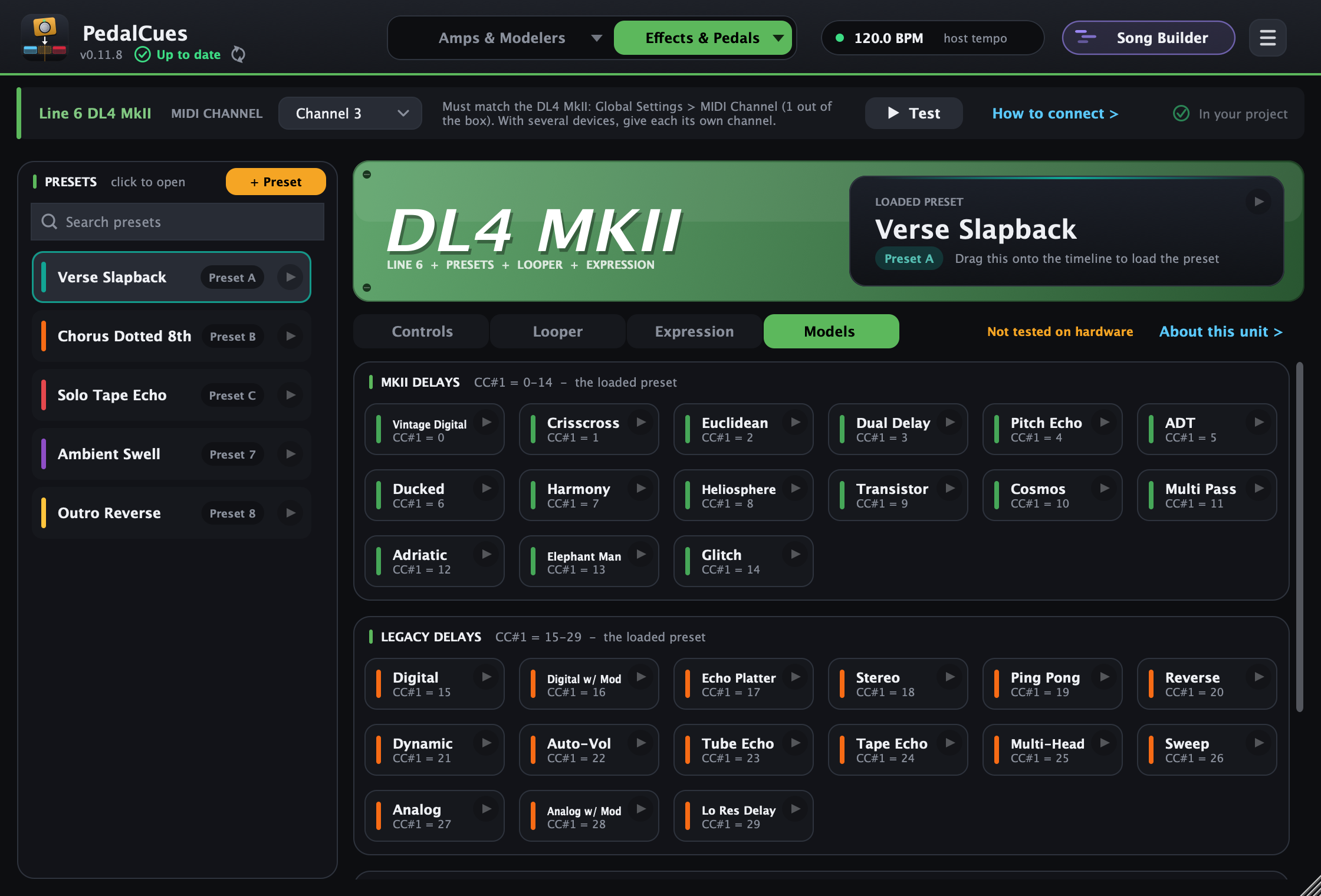
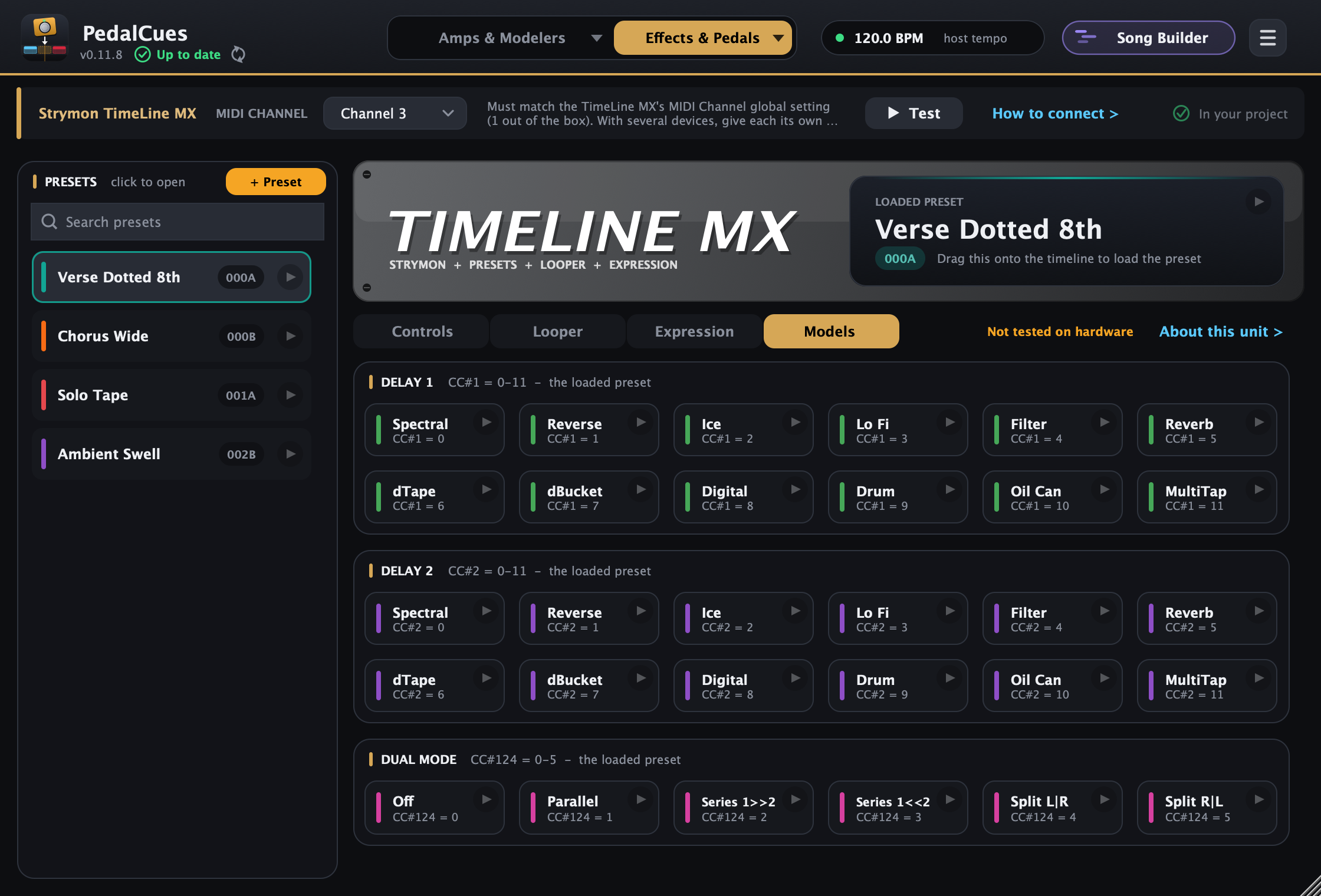
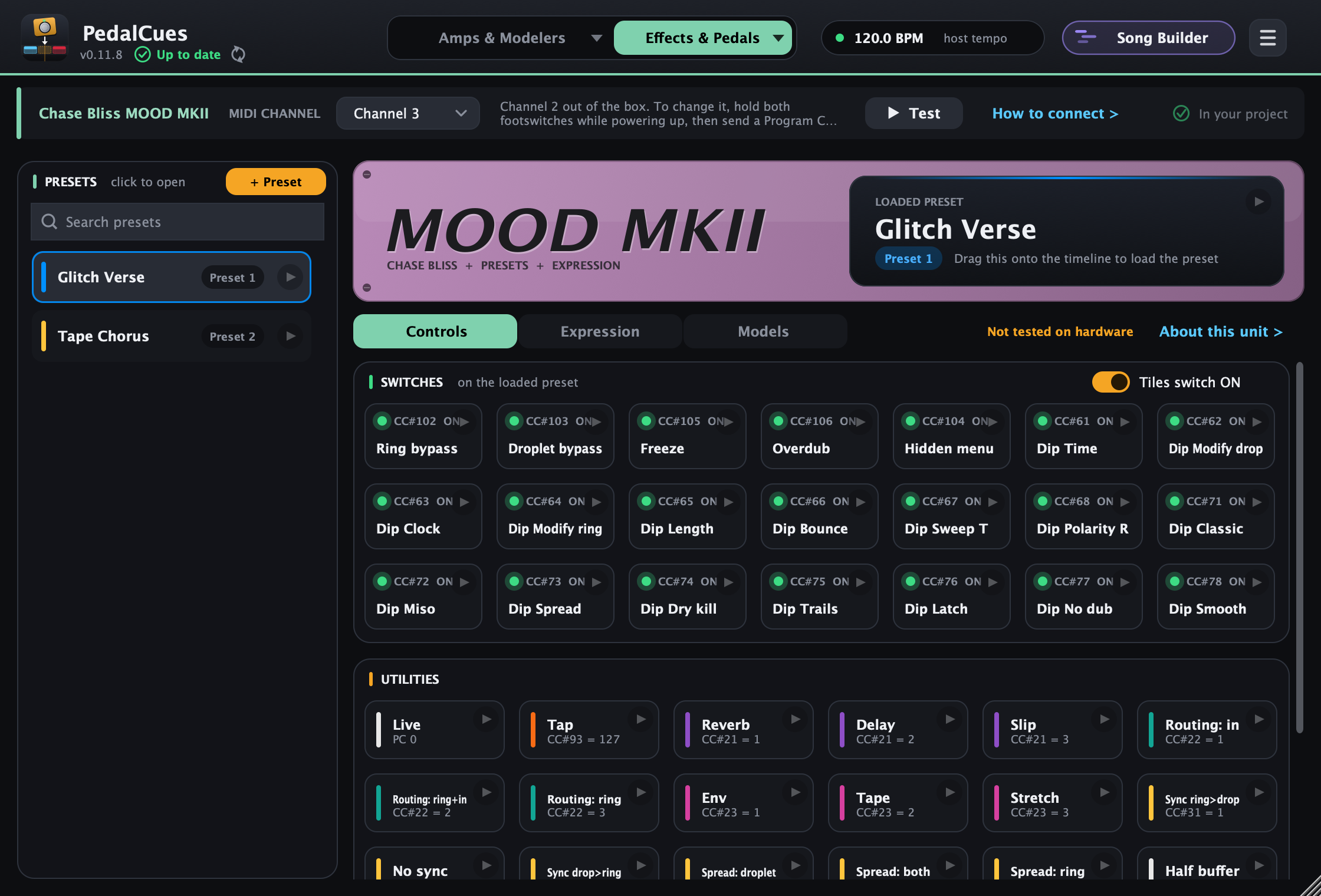
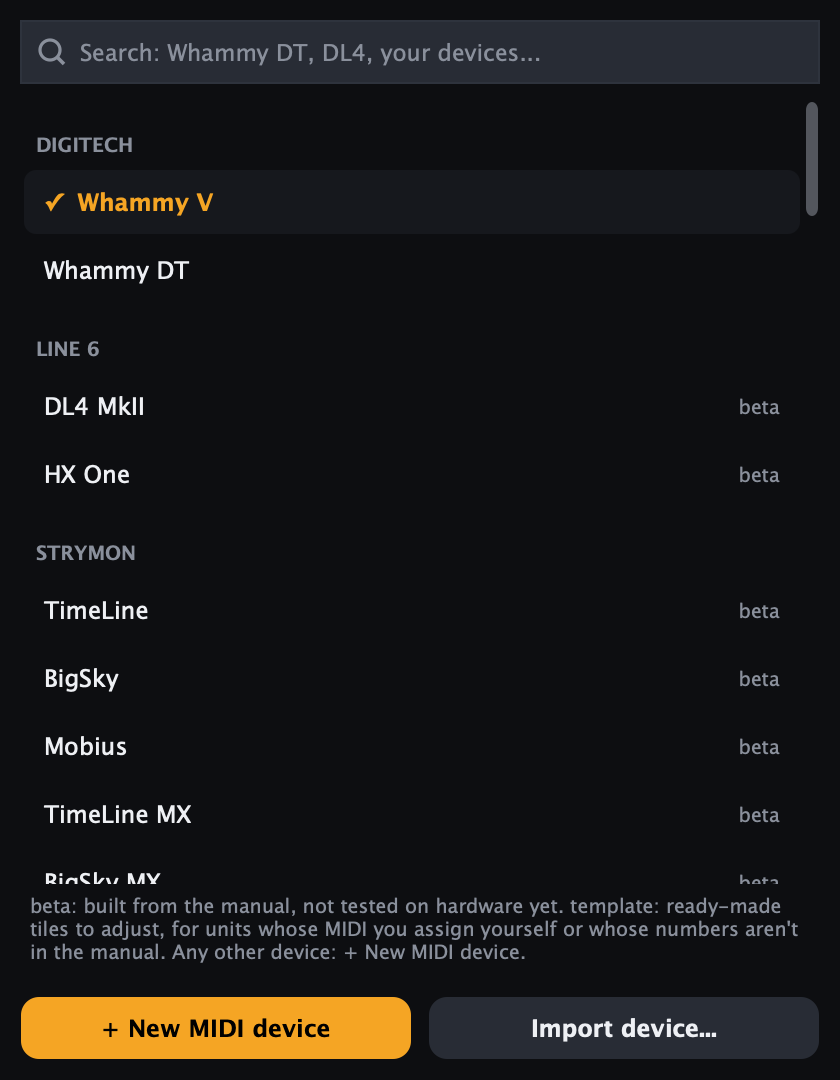
Your amp modeler on the first tab, a pedal on the second: the Whammy V / DT, Strymon (TimeLine, BigSky, Mobius, MX, Volante, V2...), Line 6 DL4 MkII and HX One, Boss DD / RV / MD-500, Meris, Chase Bliss, Walrus, Source Audio, EHX (beta), a template or your own MIDI device.
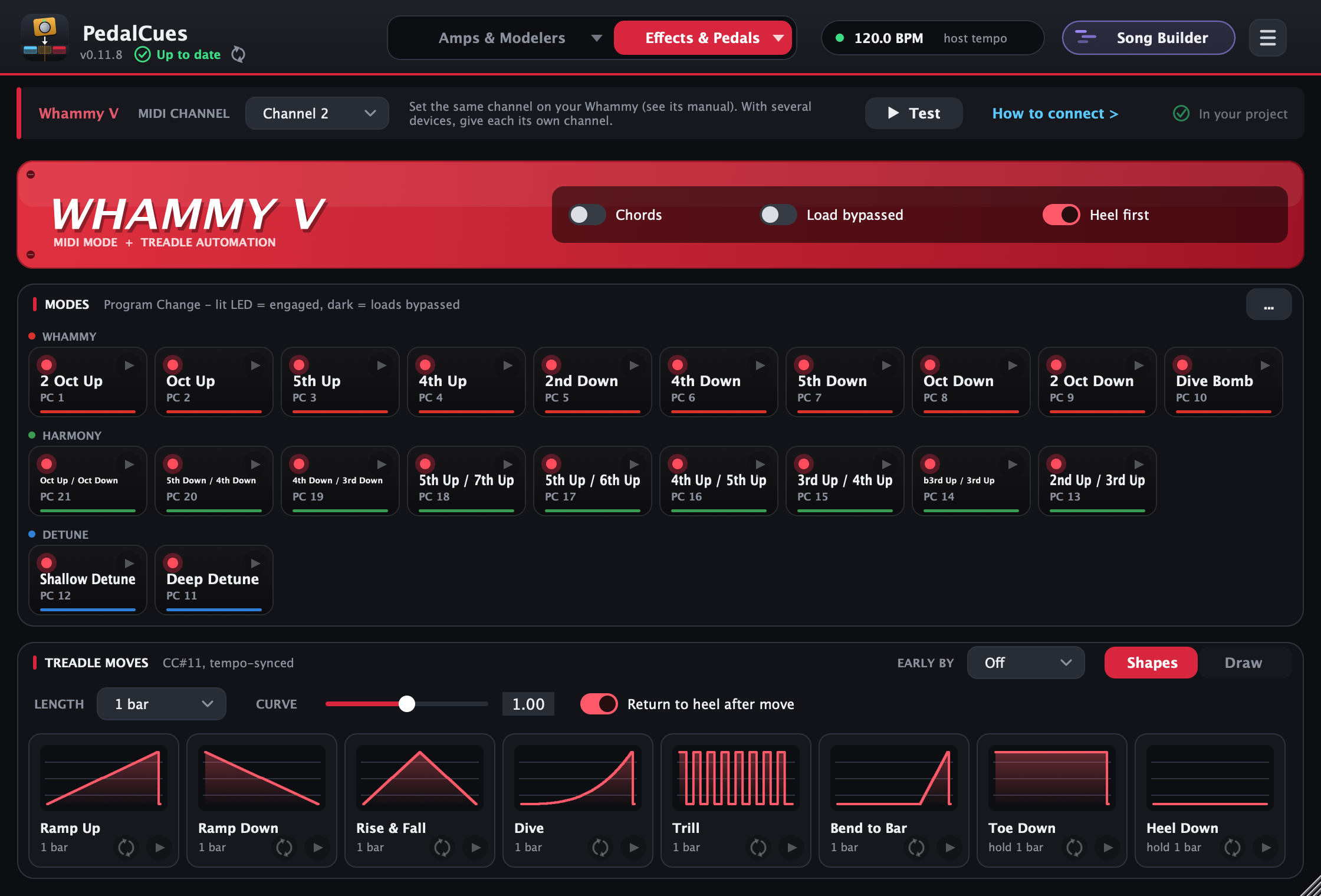
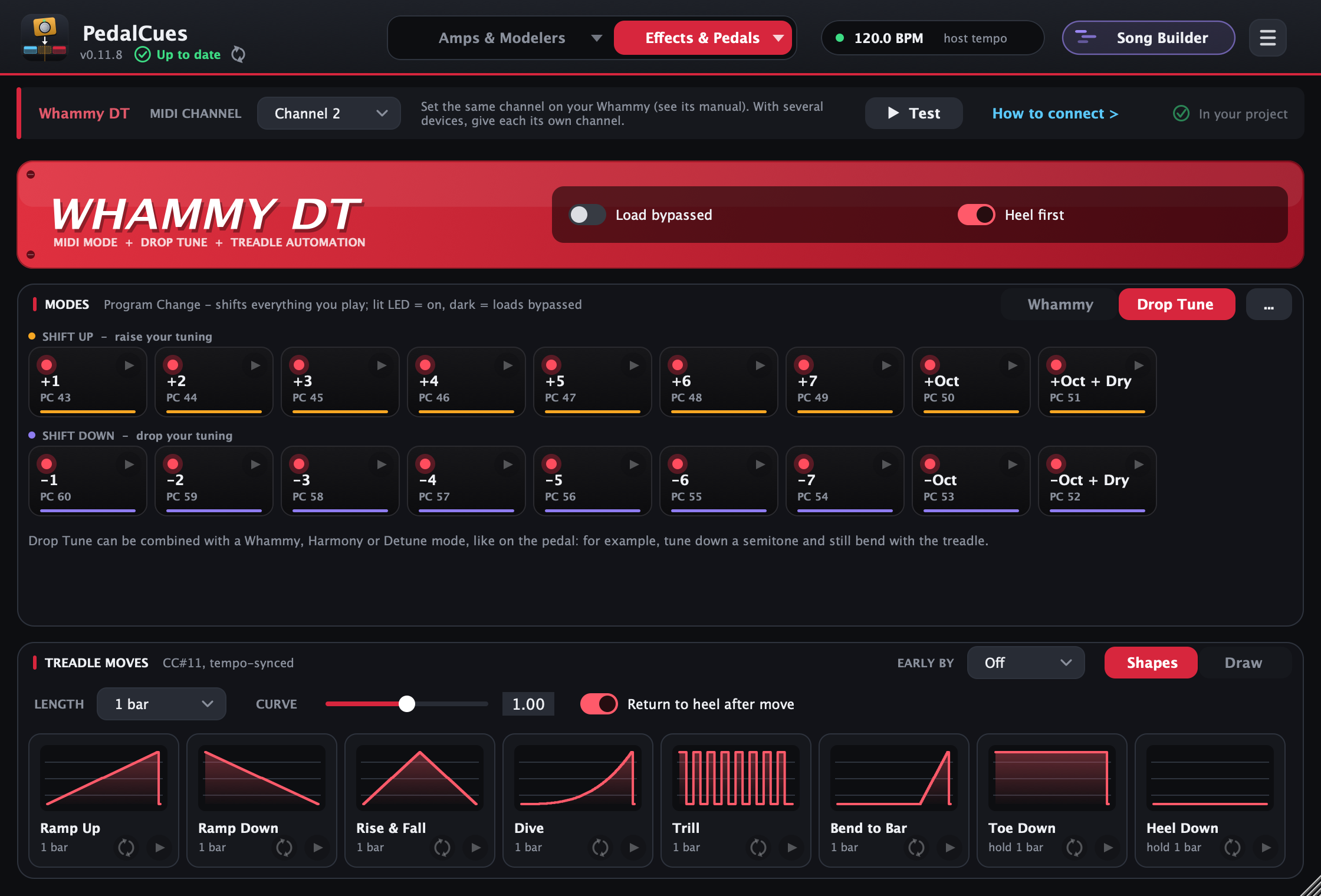
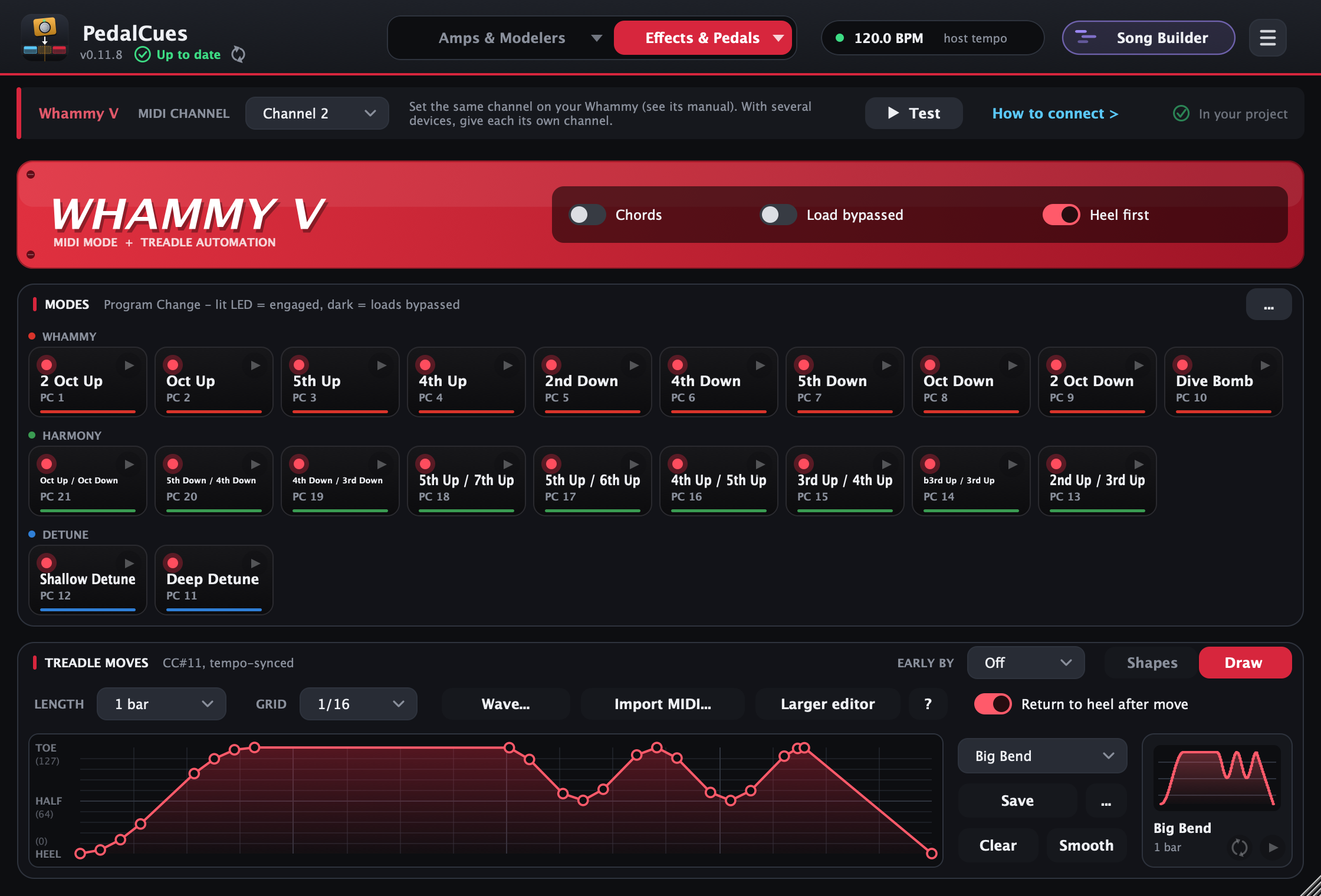
Whammy V or Whammy DT, laid out like the pedal's panel, engaged or bypassed, with heel-first switching. On the DT, Shift Up and Shift Down tiles drop or raise your tuning.
Ramps, dives, trills and bends as tempo-synced CC#11 automation, or draw your own with points and curves, like a DAW envelope (or generate a wave: sine, triangle, square, growing or speeding up, or import a move you drew in your DAW from a MIDI file) and save it in My drawings to reuse in any song.
Build a whole song once: sections with their tempo and time signature, a track per device, cues dragged in from the tabs. Play it to your rig with a click and a count-in, add a backing track (MP3 or WAV), then drag it all into your DAW or export a song package (MIDI, click and backing WAVs) for a backing-track player, one song or the whole setlist. Any time signature, a click per section, your own click sounds, the click on one side and the backing track on the other, loop a section, tap a tempo, a channel per track for a second player, and import a song from your DAW's MIDI.
A forgiving search on every device finds a preset, performance or tile in a long list, even with a typo. Every drop is a clip called "Chorus" or "Whammy Dive 1 bar", so you read your show at a glance.
Each page shows its device's MIDI channel, a Test button and How to connect: a quick first-run tour and step-by-step DAW setup (Reaper as the example) for three ways of connecting your devices, with yours as the example. Note: the Quad Cortex's and the Kemper's MIDI Thru don't pass on USB MIDI, and the Whammy only has a 5-pin MIDI In, so it needs a MIDI path from an interface. One device on its own needs no chain at all.
Drag any tile onto the arrangement. Click its play button to test it on the pedal first. Click a picture to enlarge it.
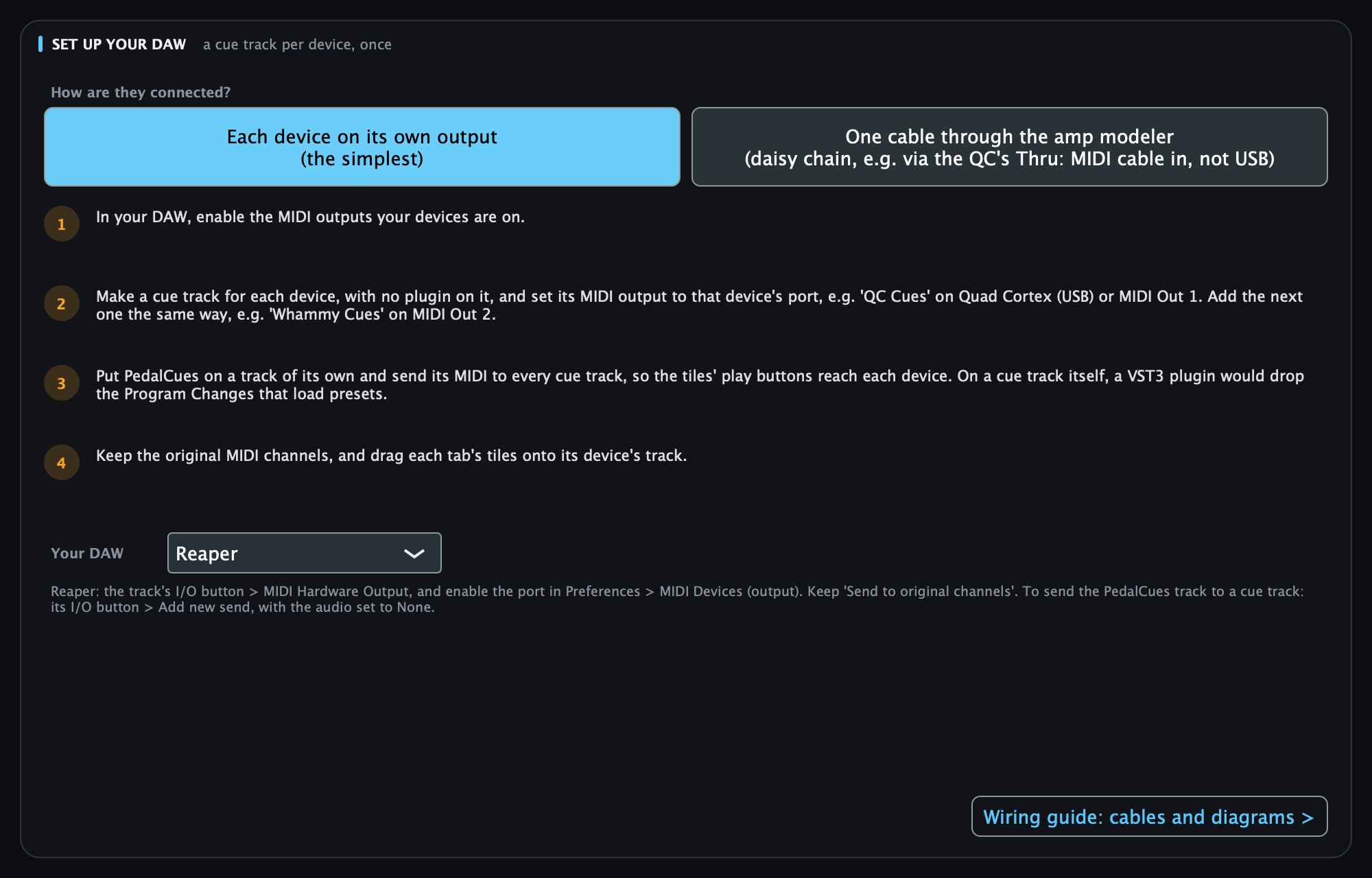
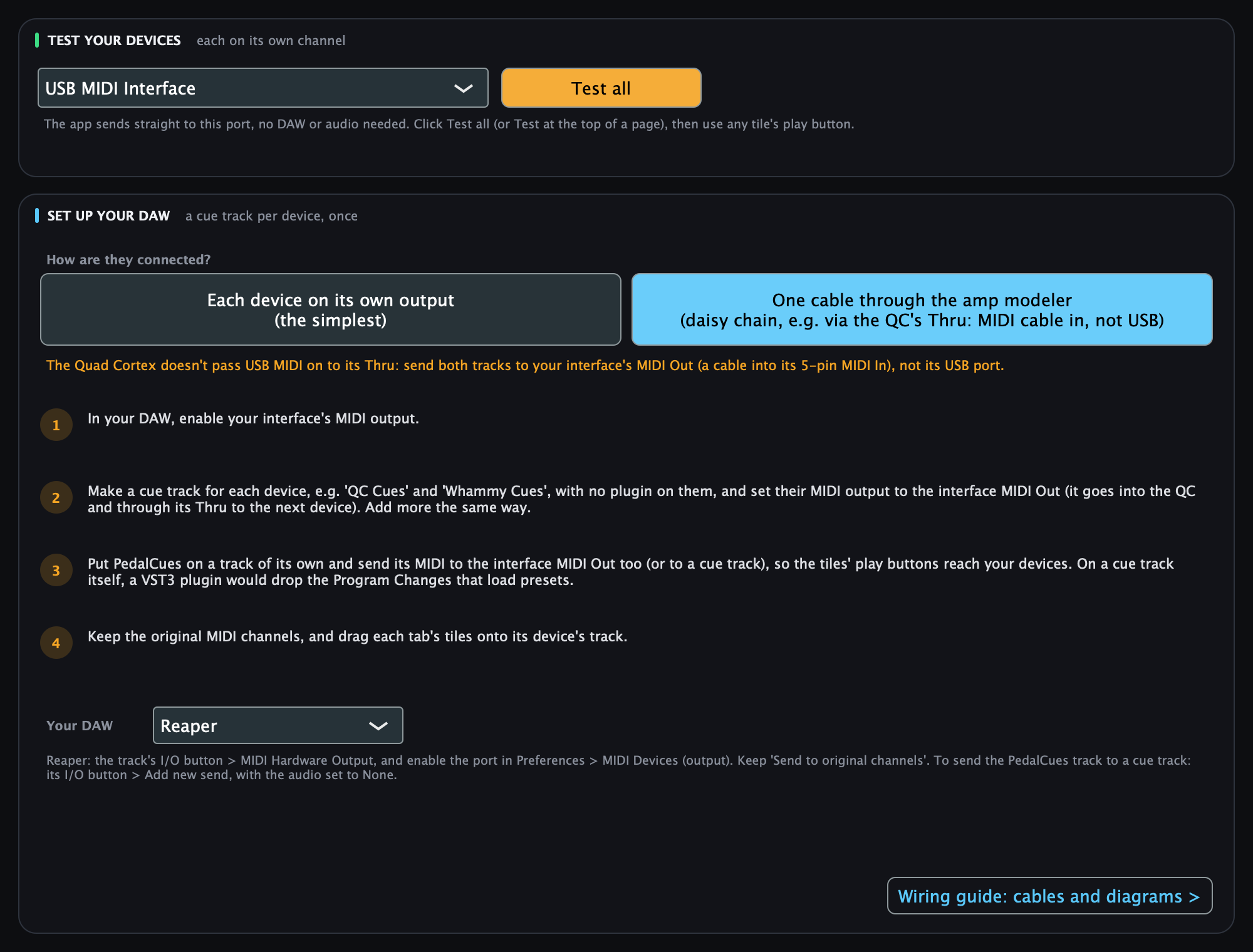
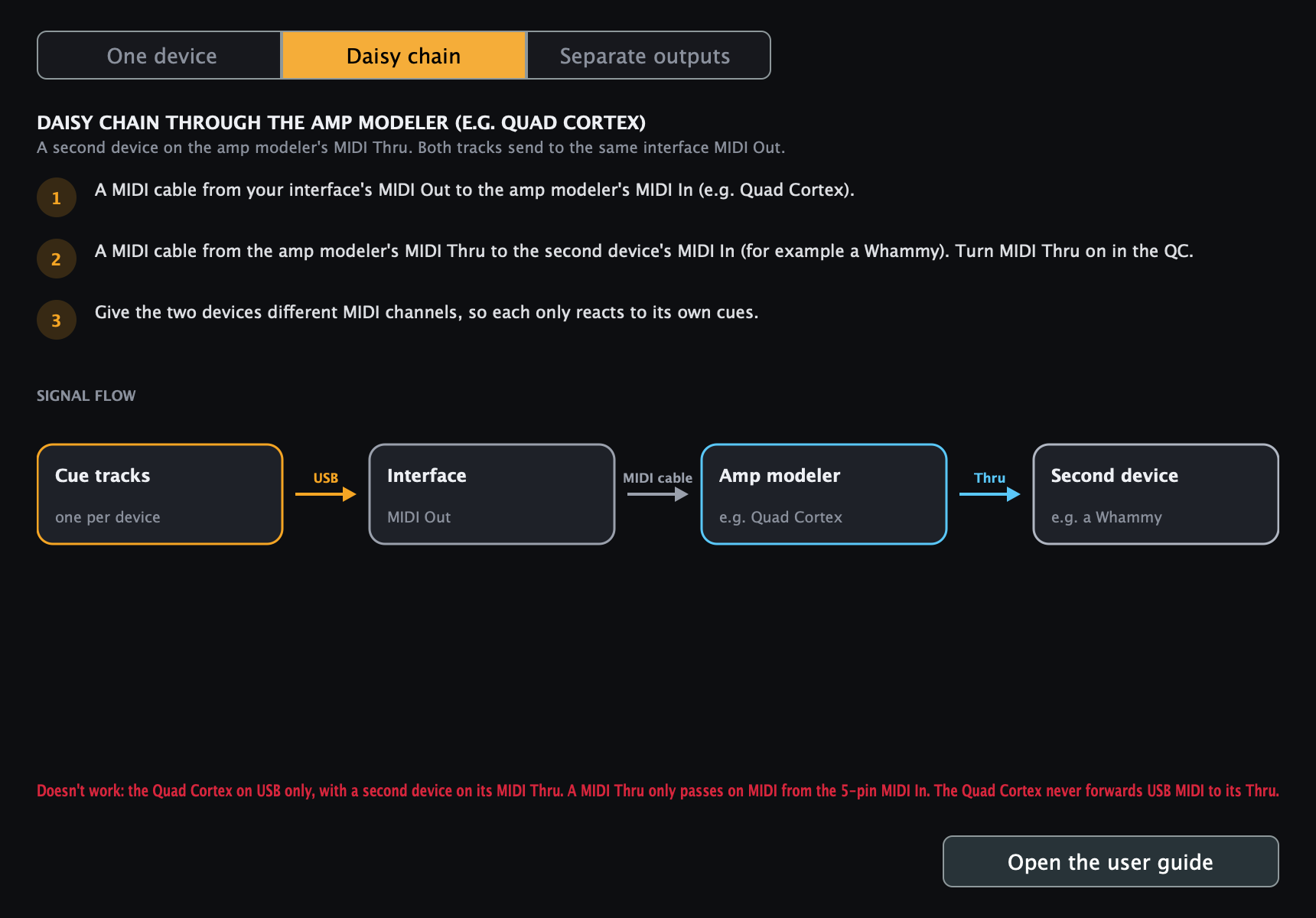
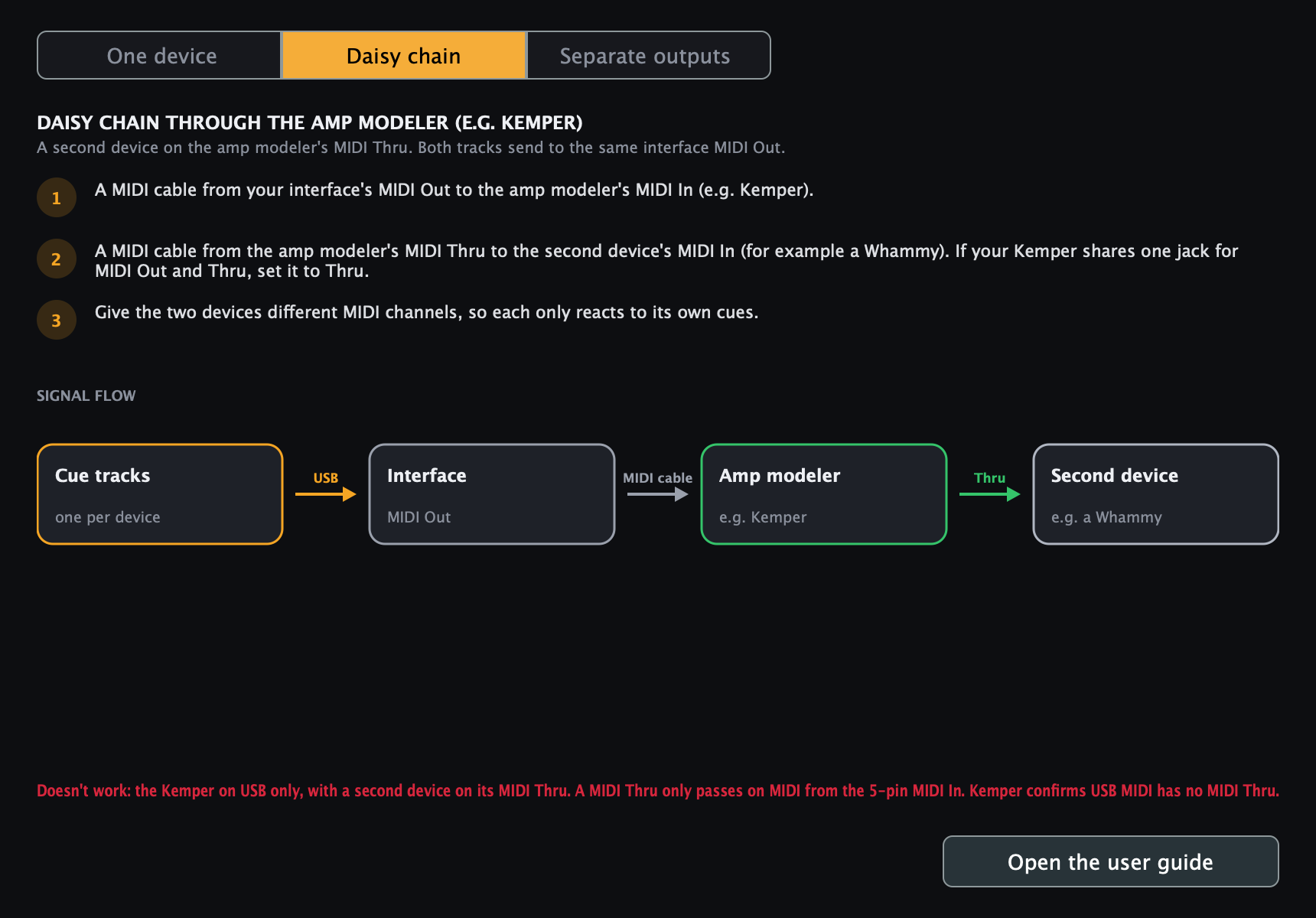
No code or build tools needed. Full details in the user guide.
C:\Program Files\Common Files\VST3\, the app to Program Files (Start menu: PedalCues). A newer installer replaces the old version./Library/Audio/Plug-Ins/.~/Library/Audio/Plug-Ins/ so it isn't listed twice.
Prefer copying by hand? Get the zip (see the guide)../install.sh in the PedalCues-Linux folder: the VST3 to ~/.vst3/, the LV2 to ~/.lv2/, the app to ~/.local/bin/ and your applications menu. Run it again with a newer zip to update.echo 'KERNEL=="hidraw*", ATTRS{idVendor}=="152a", TAG+="uaccess"' | sudo tee /etc/udev/rules.d/70-quad-cortex.rules && sudo udevadm control --reload-rules && sudo udevadm triggerHi, I'm Thanasis. My bandmate Leo and I play in ORIA, a progressive groove metal band from Thessaloniki, Greece. We were tired of programming MIDI by hand for every song, so I built PedalCues.
PedalCues is free and open source, and it will stay that way. If it saves you time at rehearsal or on stage, a coffee helps me keep improving it: new features, fixes, and support for more pedals. Completely optional. Thanks for playing loud! 🤘